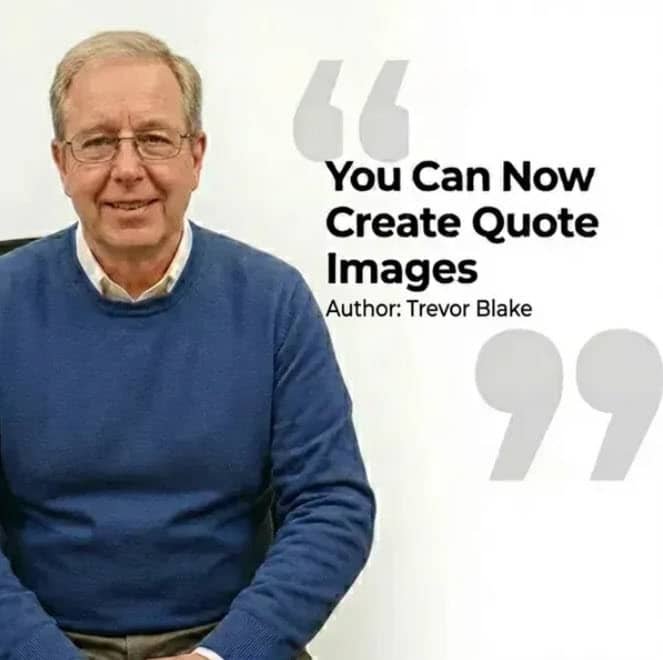
𝗦𝘁𝗲𝗽 𝟭: Use the exact prompt below to create image quotes
𝗦𝘁𝗲𝗽 𝟮: Add a picture of yourself – ideally a headshot that works well with the format.
𝗦𝘁𝗲𝗽 𝟯: Insert your quote text – whatever you want the person to say in the image
𝗦𝘁𝗲𝗽 𝟰: Customize the text color & add your name (or the name of whoever’s quote it is)
𝗦𝘁𝗲𝗽 𝟱: Once you’ve filled in all the blanks, go to “Tools” & select “Create Images” – then click Go!
And just like that – AI will automatically generate your branded quote image!
This is a game-changer for Coaches, Consultants & Content Creators who want to create professional-looking graphics without spending hours in Canva or hiring a designer.
Prompt: Editorial portrait of of the person attached framed on the left rule-of-thirds, facing right. Clean negative space on the right side. Typography: ‘[INSERT QUOTE TEXT]’ in a bold, modern geometric sans-serif font, [INSERT COLOR, e.g., Charcoal Blue] color, sharp and legible. Subtext: ‘Author: [INSERT NAME]’ in smaller weight. Background: Pristine white studio backdrop with a faint, oversized quotation mark watermark behind the text. Soft 4k studio lighting, professional corporate aesthetic, ultra-detailed, commercial photography style.
Why pay numerous subscriptions to various different AI platforms and programs when you can access 3000 AI tools for just $15 a month? All the latest tools, image and video generators, AI Chat, etc.
Save hundreds of dollars…
CLICK HERE to try it out and get FREE daily credits too!