Introduction
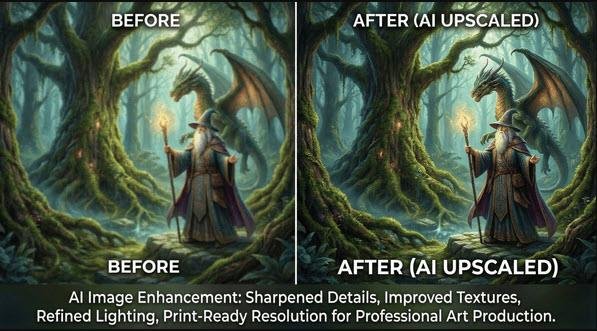
Artificial Intelligence has radically changed how we create and refine digital imagery. In 2026, AI‑driven image upscaling tools are empowering artists, photographers, and designers to transform ordinary or low‑resolution images into crisp, detail‑rich visuals suitable for print, web, and professional media.
Whether you’re restoring family photos or enhancing AI‑generated art, upscaling tech fueled by neural networks ensures your images look sharper, cleaner, and more lifelike than ever before.
What Is AI Image Upscaling—and Why It Matters
Traditional methods simply stretch pixels, making images blurry or pixelated. In contrast, AI upscaling tools analyze thousands of examples to predict what details should exist—like fabric texture or light reflection—creating convincing, high‑fidelity results.
The result: preservation of natural details, realistic textures, and minimal artifacts even when upscaled by 200–800%.
Key Parameters to Master
Understanding your upscaler’s settings ensures the best output:
- Scale Factor (×2 to ×6): Controls enlargement size. Use ×2 for standard web optimization, ×4 for print.
- Noise Reduction: Eliminates grain; adjust higher for digital scans or old photos.
- Sharpening: Defines edges and textures—avoid overdoing it.
- Face Refinement: Ideal for portraits and AI art featuring people.
- Artifact Removal: Reduces compression errors, especially from JPEG files.
Top AI Image Upscaling Tools in 2026
| Tool | Best For | Key Features | Pricing |
|---|---|---|---|
| Topaz Gigapixel AI / Photo AI | Photographers & AI artists | Face refinement, RAW file support | ~$99 one‑time |
| VanceAI Image Upscaler | Creative pros & web users | Browser‑based, fast results | From $9.99/month |
| Real‑ESRGAN (Open Source) | Developers & Stable Diffusion users | Free, customizable models | Free |
| Let’s Enhance / Pixelcut | Social media content | Simplified UI, auto‑filters | Freemium |
Integration Tips:
- Midjourney & Nano Banana: Export base renders and upscale externally for fine‑detail prints.
- DALL‑E & Stable Diffusion: Integrate Real‑ESRGAN for sharper final outputs.
Practical Use Cases With Visual Examples
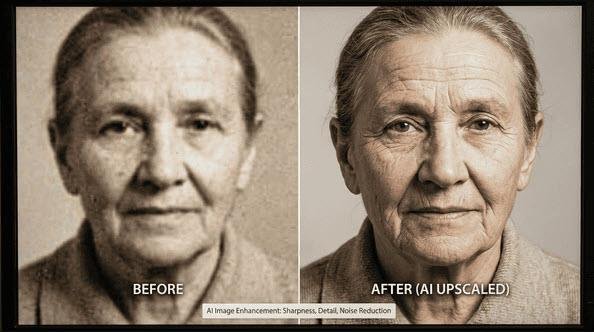
🖼️ Low‑Resolution Photos
Turn pixelated or grainy photos into print‑ready images with ×4 scaling and moderate denoising. Perfect for digital archiving.
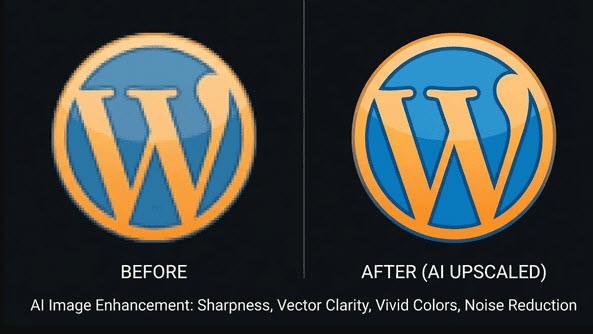
💻 Web Graphics & Logos
Preserve clean edges and brand colors for high‑DPI monitors. Disable noise reduction and focus on sharpness.
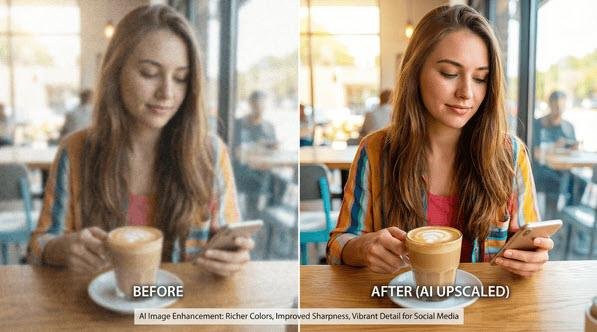
📱 Social Media Images
Boost vibrancy, contrast, and detail for engagement‑driven visuals across Instagram, Facebook, and TikTok.
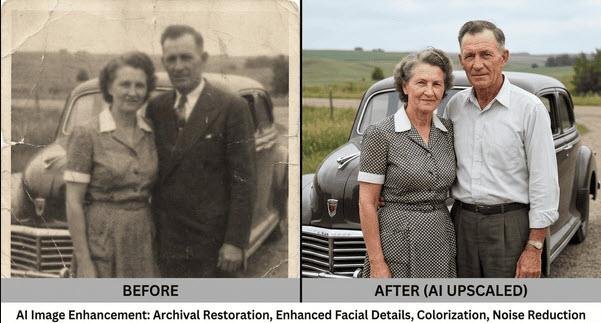
🕰️ Restoring Old Photos
AI algorithms repair cracks, reduce noise, and enhance faded tones—ideal for heritage restoration.
🎨 Enhancing AI‑Generated Art
Upscale your Midjourney or Stable Diffusion artwork to professional, print‑ready resolutions while refining details.
Best Practices
- Start with the highest-quality base image.
- Avoid oversharpening that introduces halos.
- Apply gentle noise reduction to balance clarity and realism.
- Test different models (Standard vs. Art/CG) for AI art.
- Remember that high-quality results require good GPU/processing resources.
Troubleshooting Quick Fixes
| Problem | Cause | Solution |
|---|---|---|
| Halo artifacts | Too much sharpening | Lower sharpening strength |
| Blurry output | Excess denoising | Reduce noise filter |
| Color inconsistencies | Wrong color mode | Re‑export in sRGB |
| File too large | Excess scaling | Limit to ×2‑×4 and compress |
Ethical Considerations
When enhancing photos or AI art, transparency is key. Always disclose AI‑based modifications if context demands authenticity (e.g., journalism, archives). Avoid deceptive use cases such as misrepresenting real-world events or digitally altering portraits without consent.
Conclusion
AI image upscaling in 2026 delivers professional-level enhancement in minutes. Whether you’re refining a Midjourney masterpiece, restoring family photos, or optimizing web visuals, mastering these tools ensures your images look exceptional on every platform.
AI creates images based on prompts over various platforms. Please note you cannot recreate the exact same image as shown on the prompts. Each one will be different, unique – some better, some not so good. That’s the fun of AI!
Why pay numerous subscriptions to various different AI platforms and programs when you can access 3000 AI tools for just $15 a month? All the latest tools, image and video generators, AI Chat, etc.
Save hundreds of dollars…
CLICK HERE to try it out and get FREE daily credits too!
If you want assistance with this article, please Contact Us